> For the complete documentation index, see [llms.txt](https://gs23.gitbook.io/greyservices/llms.txt). Markdown versions of documentation pages are available by appending `.md` to page URLs; this page is available as [Markdown](https://gs23.gitbook.io/greyservices/copy-of-gs23-services/single-pc-game-setups/sea-of-thieves.md).

# Sea Of Thieves

<h2 align="center">⚡<strong>Menu And Game Performance Instructions</strong>⚡</h2>

***

* **Turn off Game Mode** ⚙️
  * Press the **Windows Key** and search for **Game Mode**.
  * Toggle the switch **Off** (see image below).

<figure><img src="https://4133156249-files.gitbook.io/~/files/v0/b/gitbook-x-prod.appspot.com/o/spaces%2F9Wc0oAKxoqgkEtJfQd25%2Fuploads%2FKrjjldfHEHGS4vWLA3VG%2Fimage.png?alt=media&amp;token=676e9143-89a1-4098-9dd0-b723fa3a23d3" alt=""><figcaption></figcaption></figure>

* **Use Fullscreen Windowed or Borderless Mode** 🖥️&#x20;
  * Switch your game to **Fullscreen Windowed** or **Borderless** before loading the menu.
  * Avoid exclusive fullscreen, as it can prevent the menu from appearing or being clicked.
* **Disable Anti-Lag or Upscaling Features** 🚫
  * In both your **game settings** and **GPU control panel**, disable any Anti-Lag or Upscaling features for better performance.
* **Run Your Game Launcher as Administrator**🔑&#x20;
  * Right-click on Steam, EA App, Uplay, Epic Games, or Xbox App.
  * Select **Run as administrator** to prevent errors.
* **Run the Menu as Administrator** 🔑&#x20;
  * Right-click the menu `.exe` file.

***

<h2 align="center">🖥️Menu Instructions 🖥️</h2>

<h3 align="center"> <mark style="color:red;">REFRESH PAGE BEFORE DOWNLOADING TO MAKE SURE UPDATED DOWNLOAD IS THERE</mark></h3>

Video tutorial : [CLICK HERE TO WATCH](https://youtu.be/34r17In_B8s)

1. Download loader from here  <a href="https://mega.nz/file/AkJ1GJCC#72IccKWRgnFCtuRZNLCfJXDbiGjVMjAUJ-eGk2_YorQ" class="button primary">Download</a>
2. Move loader to dekstop in new folder.
3. If you run game from Xbox Game pass , add it in steam as non steam game.

<figure><img src="https://4133156249-files.gitbook.io/~/files/v0/b/gitbook-x-prod.appspot.com/o/spaces%2F9Wc0oAKxoqgkEtJfQd25%2Fuploads%2F6OHAmttbgpzVDhytyrOd%2Fimage.png?alt=media&amp;token=b2be5866-1493-446d-b1bf-e3ec2cb1caf5" alt=""><figcaption></figcaption></figure>

4. Set -DX11 in launch options in steam game preporties.

<figure><img src="https://4133156249-files.gitbook.io/~/files/v0/b/gitbook-x-prod.appspot.com/o/spaces%2F9Wc0oAKxoqgkEtJfQd25%2Fuploads%2FYTRkqUkSDQRyk9CGPMG4%2Fimage.png?alt=media&amp;token=bc61b735-1914-401a-b7a1-9f29c1229ee6" alt=""><figcaption></figcaption></figure>

5. Launch game trough steam.
6. Run loader as admin.
7. Paste key in , change to vip1 option from vip3.
8. Login.
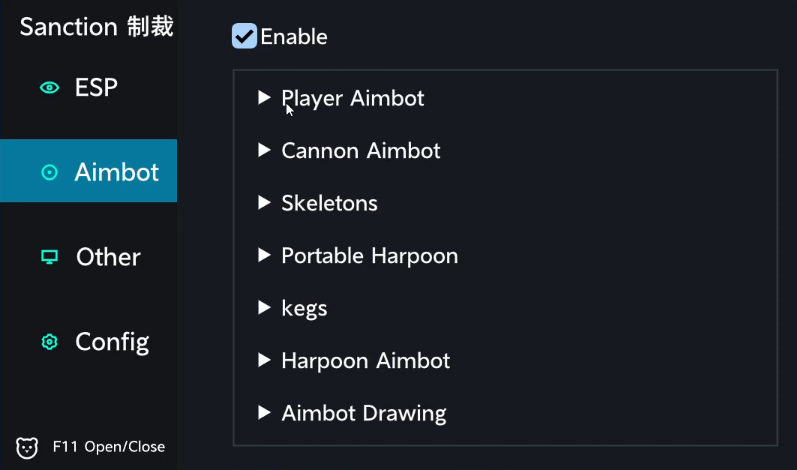
9. Menu key F11.
10. Make sure game is in windowed boarderless.

To change to english language : <br>

![](https://4133156249-files.gitbook.io/~/files/v0/b/gitbook-x-prod.appspot.com/o/spaces%2F9Wc0oAKxoqgkEtJfQd25%2Fuploads%2FPJRPw1Ow2wZrCk52VIQZ%2Fimage.png?alt=media\&token=5acf4a81-302d-4851-8b8b-9678a217fa80)

Then go to bottom option&#x20;

<figure><img src="https://4133156249-files.gitbook.io/~/files/v0/b/gitbook-x-prod.appspot.com/o/spaces%2F9Wc0oAKxoqgkEtJfQd25%2Fuploads%2FmUqSLf4i5Gtqy5w9KLU3%2Fimage.png?alt=media&amp;token=9fd2b17a-8930-41e0-836a-a5c194c6e644" alt=""><figcaption></figcaption></figure>

<figure><img src="https://4133156249-files.gitbook.io/~/files/v0/b/gitbook-x-prod.appspot.com/o/spaces%2F9Wc0oAKxoqgkEtJfQd25%2Fuploads%2FxGZ7cyN30heXuoIjpQtw%2F%7BA11C8AB7-C696-471E-ABC5-029B00CFB12F%7D.png?alt=media&amp;token=69b41caa-1343-48dd-a7d1-f1bf56aa6d1d" alt=""><figcaption></figcaption></figure>

<figure><img src="https://4133156249-files.gitbook.io/~/files/v0/b/gitbook-x-prod.appspot.com/o/spaces%2F9Wc0oAKxoqgkEtJfQd25%2Fuploads%2FDyXohxCPKyHnYhnMAhHK%2F%7B0F779CFC-743D-4878-93DC-82B2D3CFFBAB%7D.png?alt=media&amp;token=616ad34c-7bfd-4bd4-8535-abf47f2ccd4d" alt=""><figcaption></figcaption></figure>

<figure><img src="https://4133156249-files.gitbook.io/~/files/v0/b/gitbook-x-prod.appspot.com/o/spaces%2F9Wc0oAKxoqgkEtJfQd25%2Fuploads%2FinN2I2jsAciPEO5JylqB%2F%7B97E1A04F-224D-4006-9C1E-8D5C90556E27%7D.png?alt=media&amp;token=25dba26e-eef7-4feb-8bff-c2e04a684b7d" alt=""><figcaption></figcaption></figure>

<figure><img src="https://4133156249-files.gitbook.io/~/files/v0/b/gitbook-x-prod.appspot.com/o/spaces%2F9Wc0oAKxoqgkEtJfQd25%2Fuploads%2F9nEWAfZAjbwsS3yaAEDH%2F%7BBCDC0023-665D-43F2-B86E-83FB850E9D19%7D.png?alt=media&amp;token=ac739691-cb80-4f02-ba69-c9f1045560ed" alt=""><figcaption></figcaption></figure>