> For the complete documentation index, see [llms.txt](https://gs23.gitbook.io/greyservices/llms.txt). Markdown versions of documentation pages are available by appending `.md` to page URLs; this page is available as [Markdown](https://gs23.gitbook.io/greyservices/copy-of-gs23-services/single-pc-game-setups/warframe.md).
# Warframe
⚡Menu And Game Performance Instructions⚡
***
* **Turn off Game Mode** ⚙️
* Press the **Windows Key** and search for **Game Mode**.
* Toggle the switch **Off** (see image below).
* **Use Fullscreen Windowed or Borderless Mode** 🖥️
* Switch your game to **Fullscreen Windowed** or **Borderless** before loading the menu.
* Avoid exclusive fullscreen, as it can prevent the menu from appearing or being clicked.
* **Disable Anti-Lag or Upscaling Features** 🚫
* In both your **game settings** and **GPU control panel**, disable any Anti-Lag or Upscaling features for better performance.
* **Run Your Game Launcher as Administrator**🔑
* Right-click on Steam, EA App, Uplay, Epic Games, or Xbox App.
* Select **Run as administrator** to prevent errors.
* **Run the Menu as Administrator** 🔑
* Right-click the menu `.exe` file.
***
🖥️Menu Instructions 🖥️
REFRESH PAGE BEFORE DOWNLOADING TO MAKE SURE UPDATED DOWNLOAD IS THERE
You need to set your Computer time zone to +8 utc Beijing For this menu
1. Tutorial video Warframe Video Tutorial
2. Download the Loader: Download
3. Unzip the Menu .Rar file and place the new unzipped folder on the Desktop. You can make a new folder on the desktop and drag all files from the .Rar into that folder you just made also.
4. Run the menu as administrator.
5. You will see a login menu first. Login using your key you got when purchased and wait for the Debug menu to show or Green Text.
6. Load the game after debug is shown or green text.
7. If debug does not show then the menu has failed to inject. You will need to look over The First Steps again.
8. If you are unable to get the loader to inject then create a support ticket in the Discord.
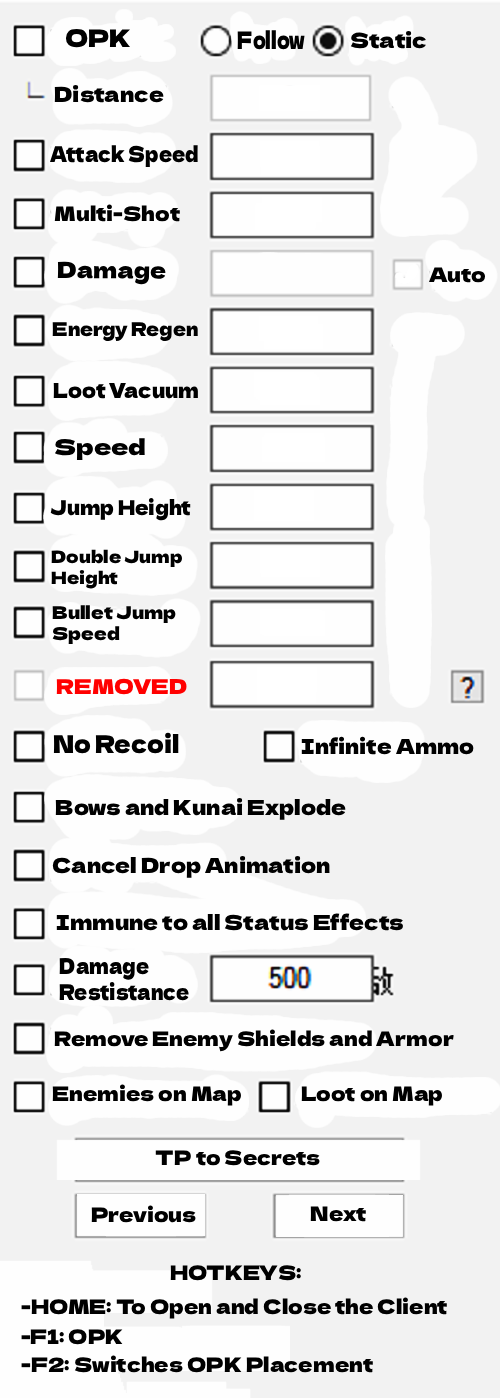
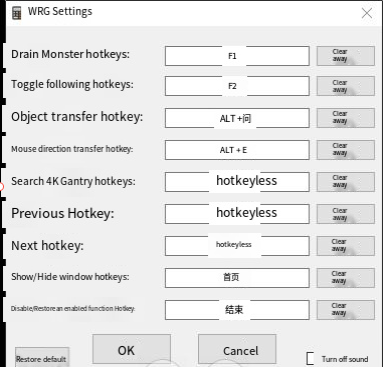
9. If the menu has injected you will see the Menu show and you are finished.
**Pay attention to control the number of monsters killed! ! !**
**Because it sucks monsters, it kills monsters too fast! ! ! So far, 3 people have not controlled the number of monsters killed and their accounts have been banned! ! !**
**And the defense time must also be controlled! ! !**